
If your Performance Max campaign is running with a single “All Products” asset group, you’re not alone — and you’re almost certainly leaving money on the table.
I audit Google Shopping accounts regularly, and this is the most common structural mistake I see. Everything dumped into one group. Bestsellers competing with dead inventory for the same budget. No segmentation, no visibility, no control. And then the advertiser wonders why ROAS is inconsistent.
Here’s the thing — this isn’t a bidding problem. It’s a structure problem.

Why One Asset Group Hurts You
When you run a single asset group, the algorithm has to serve all your products with one set of creative, one pool of audience signals, and one blended performance report. Your $200 margin product and your $8 margin product are treated identically. That’s a problem.
You also lose visibility. You can’t see which product segments are actually driving conversions versus which ones are quietly burning budget. And without that data, you’re flying blind.
Splitting into multiple asset groups fixes this — but there’s a right way to do it.
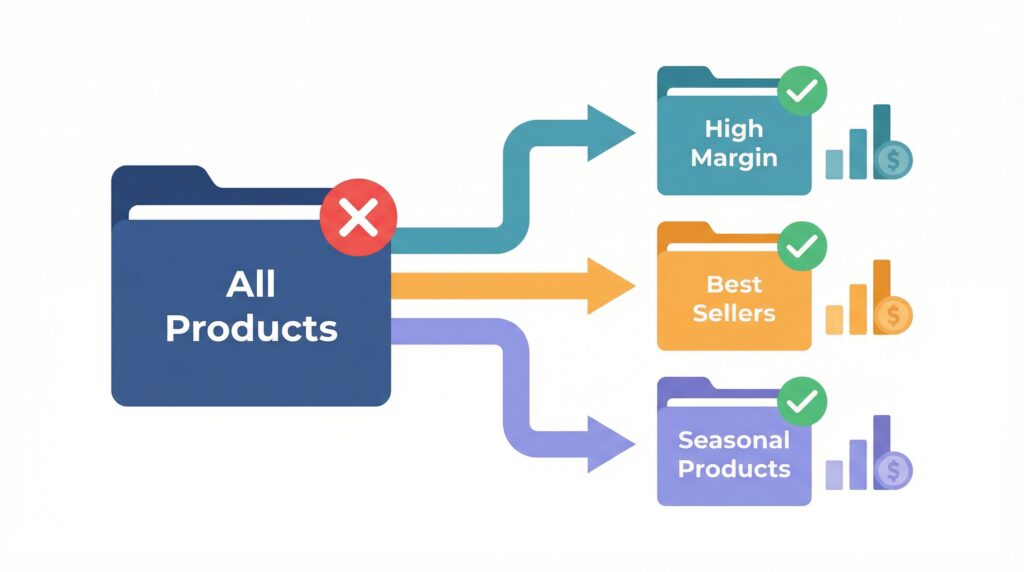
The Structure I Recommend
Start with 3 to 7 asset groups per campaign. That range isn’t arbitrary — it’s enough to segment meaningfully without fragmenting your data. Each group needs sufficient conversion volume to learn. If you go too narrow too fast, the algorithm never exits the learning phase and performance stays unstable.
Here’s how I typically segment:
By product category — works well if you sell across distinct verticals with different audiences and different creative needs.
By margin tier — this one’s underrated. Your high-margin products can support a more aggressive ROAS target than your commodity items. Separating them lets you set appropriate bidding per group.
By performance tier — use custom labels in your product feed to tag your bestsellers, mid-performers, and slow movers. Your bestsellers deserve more budget focus. Your slow movers deserve tighter controls.
Pick the dimension that has the biggest business impact for you, and start there.
The $50/Day Rule
Before you go splitting everything into 10 asset groups — don’t. Each asset group needs at least $50 per day in budget to learn properly. If your daily campaign budget is $200 and you create 6 asset groups, you’re spreading data too thin and nothing learns well.
Start broader. Then split as budget and performance data allow.
Audience Signals and Search Themes
Once you’ve got your structure, feed each asset group quality signals. Upload your customer match lists — past purchasers are the strongest signal you can give. Layer in cart abandoners, category page visitors, and relevant in-market audiences.
On search themes: Google doubled the limit to 50 per asset group in 2025. Use them. Add thematic phrases that match what you’re selling in that specific group — not generic terms, but specific enough to steer intent. Then check the Source column in Search Term Insights to see whether your themes are actually contributing conversions.
One More Thing — Check URL Expansion
If URL expansion is on, Google can send traffic to blog posts, category pages, or even your about page. For Shopping-focused campaigns, you want traffic hitting your actual product pages. Set URL exclusions to block anything that doesn’t convert.
Get the structure right, and everything else — bidding, creative, signals — works better because the algorithm has clear direction to optimize toward.
Need help restructuring your Performance Max campaigns? I’ve spent 8+ years managing Google Ads for ecommerce businesses. Let’s look at your account together → https://www.upwork.com/freelancers/nazdiocampoaimarketing