I’m going to say something that might sting a little: if your Google Ads are generating a bunch of leads and none of them are buying, the problem probably isn’t Google. It’s you.
Well — it’s your signals, anyway.
I’ve managed Google Ads campaigns for over 8 years now, and this is the single most common issue I see. A business comes to me frustrated, saying “we’re getting tons of leads but they’re all garbage.” And almost every time, the root cause is the same: they told Google to find form fillers, so Google — being the obedient AI it is — went out and found the absolute cheapest form fillers on the internet.
Google’s Smart Bidding system evaluates hundreds of signals for every single auction. Device, location, time of day, browsing behavior, predicted intent — it’s processing all of it in real time. But here’s the catch: it optimizes for whatever you define as a conversion. If your only conversion action is “thank you page view,” then congratulations, Google is going to get really good at finding people who visit thank-you pages. Whether those people ever become customers? That’s not Google’s problem. That’s yours.
So how do you fix it?
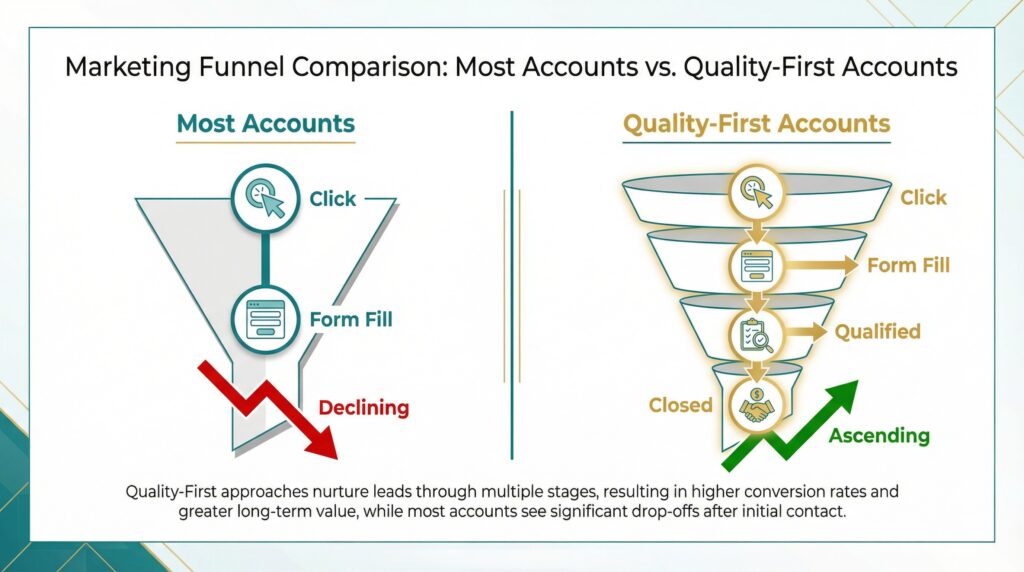
Step one: stop treating every form submit as equal. You need to define what a qualified lead actually looks like for your business. Maybe it’s someone with a budget over a certain threshold. Maybe it’s a decision-maker who books a demo. Maybe it’s someone in your service area with a timeline under 30 days. Whatever it is, write it down — and then set it up as a separate conversion action in Google Ads. You want at least two stages: “Qualified Lead” and “Closed Deal.” Google now encourages this and the platform supports tracking lead funnel stages natively.
Step two: feed Google your sales data. This is where Enhanced Conversions for Leads comes in, and honestly, this is the upgrade that separates accounts that perform from accounts that just spend money. The idea is straightforward — when a lead fills out your form, you capture their email, hash it, and store it. When that lead eventually becomes a customer (or gets disqualified), you send that outcome back to Google using the hashed identifier. Now Google’s algorithm knows the difference between a lead that wasted your sales team’s time and a lead that wrote you a check. And it starts hunting for more of the second type.
You can set this up through Google Tag Manager, the Data Manager API, or tools like Zapier. The technical setup takes some effort, but it’s the single highest-leverage change you can make.
Step three: switch to value-based bidding. Once your data is flowing back to Google, stop using Target CPA or Maximize Conversions. Move to Maximize Conversion Value or Target ROAS instead. The difference matters a lot — CPA bidding treats a $50 lead and a $5,000 lead as the same thing. Value-based bidding tells Google exactly how much each outcome is worth. A raw form fill? Maybe $10. A qualified lead? $200. A closed deal? $2,000. When Google sees those differentials, it starts bidding higher for the prospects most likely to become high-value customers and lower for the tire-kickers.
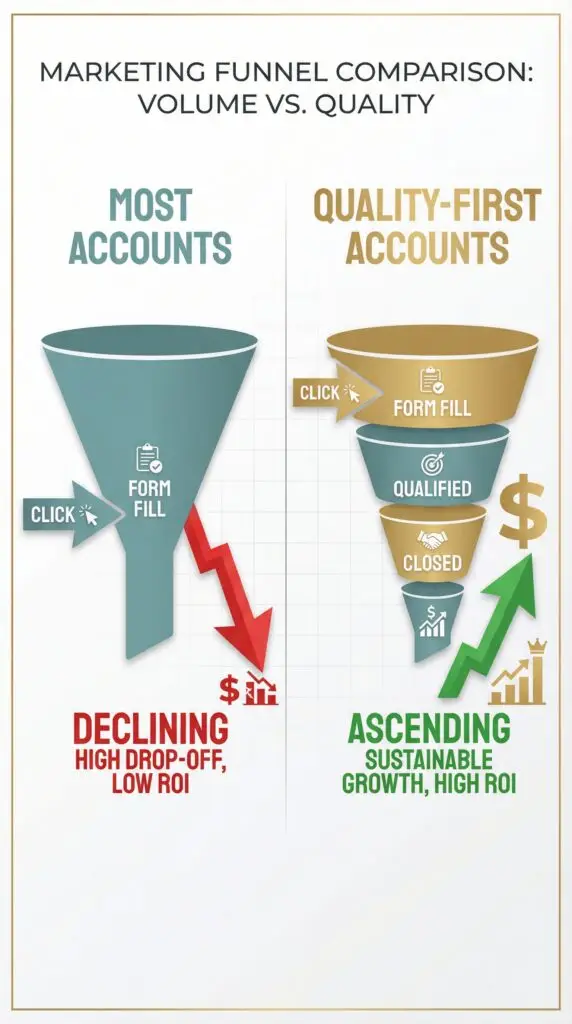
Here’s the thing — none of this is complicated in theory. The hard part is actually doing it. Most businesses never bother connecting their CRM to Google Ads. Most never define what “qualified” means. Most keep optimizing for the cheapest possible cost-per-lead and then wonder why their pipeline is full of people who ghost after the first call.
And one more thing worth mentioning: this isn’t just about bidding. Your ad copy and landing pages play a role too. If your ads promise “free consultations” with zero qualifying language, you’ll attract freebie-seekers. If your form has one field — email — you’ll get a lot of emails and very little useful information. Adding one or two qualifying questions (budget range, timeline, company size) creates just enough friction to filter out the wrong people while giving you data to feed back into Google’s system.
The bottom line? Google Ads is a machine that finds whatever you tell it to find. Right now, most businesses are telling it to find clicks. The smart ones are telling it to find buyers.
Which one are you?